Start from a template, not a blank page
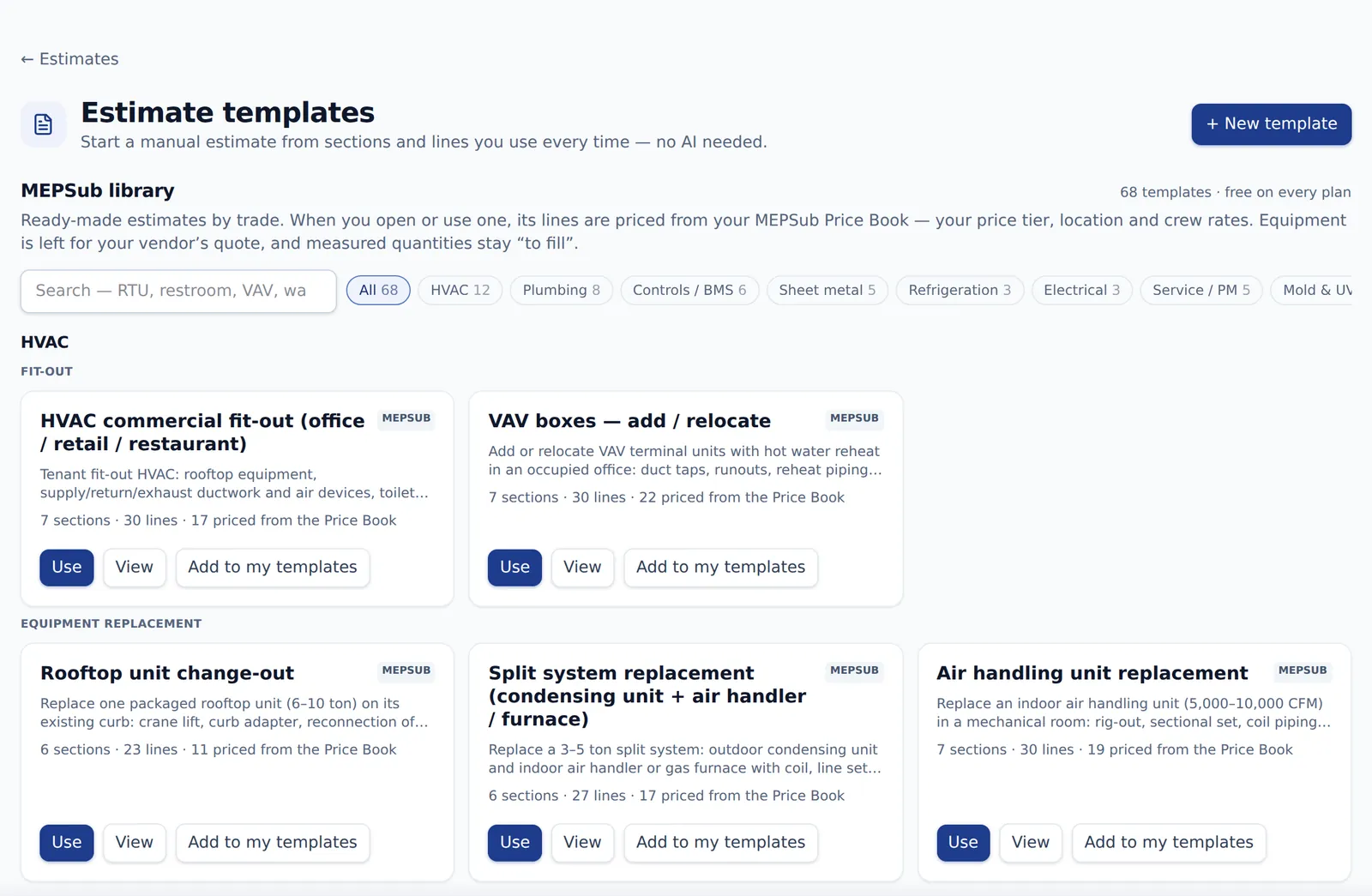
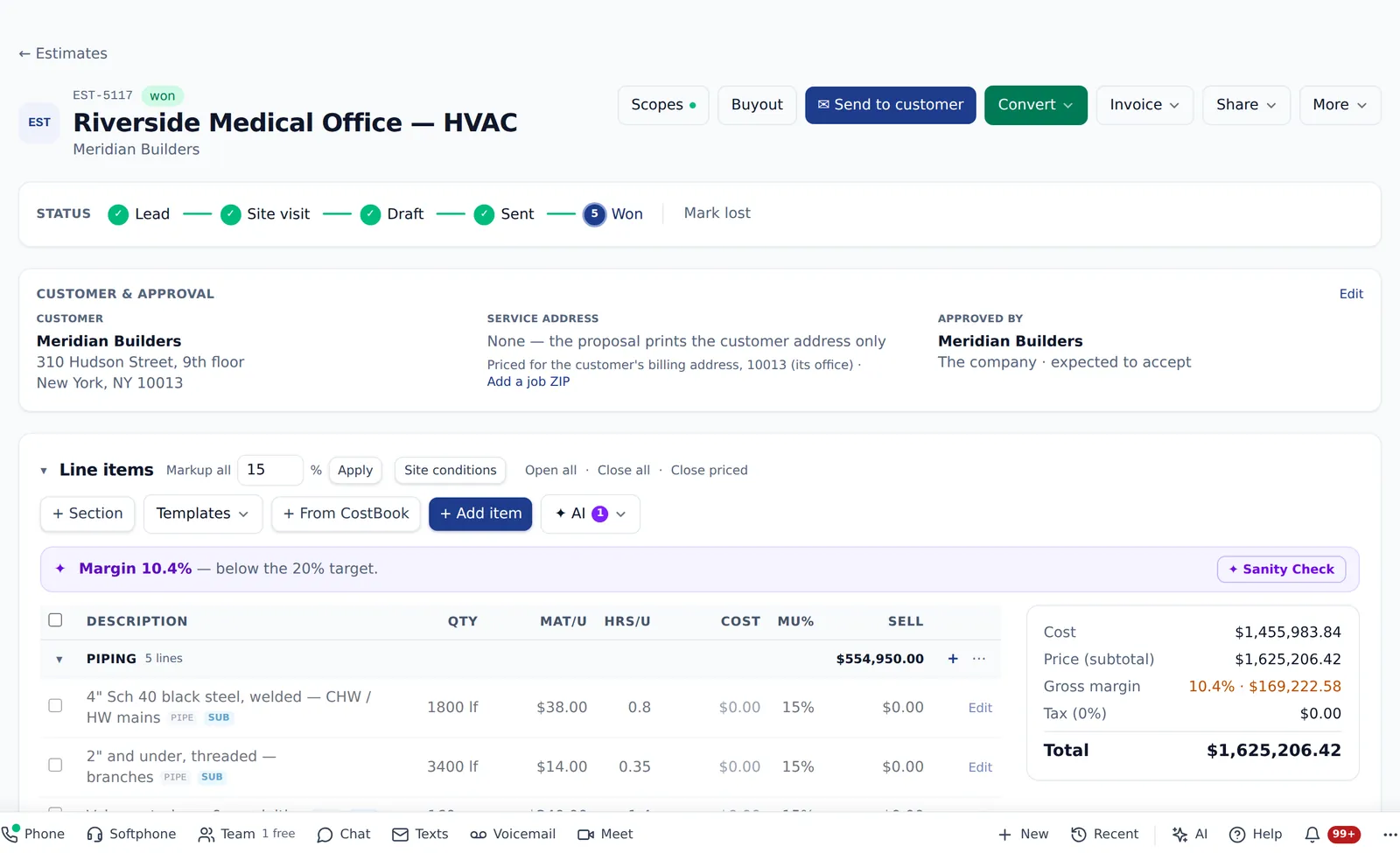
Pick one of 42 MEPSub templates by trade, or one of your own, and every line is priced from your Price Book. Sections open and close, a quick-add row suggests what you used before, and lines left at zero stay off the proposal until you fill them.
- HVAC, plumbing, controls & BMS, sheet metal, refrigeration, electrical and service templates
- Save any estimate as a template; add sections from another template
- Each section shows lines, hours, subtotal and what still needs a price
- “To fill” lines never reach the proposal, the portal or the invoice
Add items the way estimators work
The item picker slides in from the side: search your Price Book and price lists, your estimate items, kits, and what you priced before — pick many items with a quantity each and add them all at once.
- Sources: Price Book and price lists, estimate items, kits, priced before, or manual
- Type, SKU and files on each line
- A customer note printed on the proposal, and an internal note that never leaves the team
- The same picker on invoices, POs and RFQs
Proposals the customer can say yes to
Offer a section as an option and the customer picks one when signing in the portal. Choose how much they see — one lump sum, sections, or every line with or without unit prices — and edit the scope, inclusions, exclusions and terms right on the page.
- Options: base plus Option 1, 2, 3 — the customer chooses one
- Lump sum or detailed views on estimates, proposals and invoices
- Scope and terms with bold, headings, lists and links
- Included / excluded as a list, with standard MEP lines to start from
Change orders, line by line
Price a change with lines — quantity, unit, cost and markup, deductions as negative lines — or as one lump sum. The customer sees the view you pick; your cost and markup never leave the office, and the invoice bills the change line by line.
- Lines or a lump sum, with deductions
- Customer view per change order: PDF, email and portal
- Invoice from a change order, line by line
- With Scope buyout, subs price their part of the change
Documents that look like yours
Pick one of three looks for your invoices, estimates, POs, change orders, RFIs, submittals and reports — per company, per document or per customer. Send any of them with Cc and Bcc, and replies come back to whoever sent it.
- Three PDF styles: Clean, Color block and Classic form
- Cc / Bcc on every document email, and an automatic company Bcc per document type
- “Emails sent” history on each document
- Discount lines on invoices that never take the total below zero
Saves as you type — and works like a spreadsheet
Draft estimates, invoices, POs and RFQs save as you type. Line tables take the keys estimators expect, and if someone else changed the same record, nothing is overwritten — you choose.
- Saving… / Saved 2:41 PM in the header, and Undo my changes
- Tab and Enter move cell to cell; Esc puts the cell back; “$1,234.50” is accepted
- Keep mine or Discard mine & reload when a record changed under you
- Offline or closed the tab? Restore or Discard when you come back
- Sent, won and paid documents keep a Save button — a sent estimate offers a new revision
An email that writes itself
Every Send dialog can draft the subject and message from the document with AI, then make it shorter, friendlier or more formal. To, Cc and Bcc work like your email program, with the customer’s contacts, the project directory and your team a tick away.
- Write with AI, Improve, Shorter, Friendlier, More formal — or your own instruction, like “ask for the PO number”
- Only the document’s facts — never your costs, margins or internal notes
- Address chips with tick lists: customer contacts, GC PM, owner’s rep, architect, your team
- You always get a copy; Undo puts the earlier text back
- Change orders get a Write with AI description too — no prices in it
Bid invitations, straight onto the Bid board
Pantera Tools invitations that land in a mailbox connected to MEPSub Mail become bids automatically — job, address, due date and time, GC, contact and MEP scope. Reminders and addenda file under the same bid, and a moved due date tells the estimator.
- Will bid ↗ / Won’t bid ↗ and Project Wall ↗ right on the bid
- The same invitation in several mailboxes counts once; another GC on the job is another GC row
- Filter the Bid board by source
- Plans are not downloaded and the GC is not answered for you
Sheet metal by the pound, costs by ZIP
Price ductwork from your own shop rates — by weight, or by length and piece — with one line per duct size. Set a $/lb for each metal, and the gauge follows the project’s fab shop standard. CostBook lines are priced for the estimate’s ZIP.
- $/lb for galvanized, aluminum, 304 stainless, black iron and PVC-coated, with your own weight and labor factors
- Gauge from the project’s fab shop standard, then the company’s, with each metal’s code minimum
- ✦ Find public figures suggests $/lb by ZIP from public sources, with links
- CostBook priced for the site ZIP, then the job, then the customer’s billing address
- Starting rates are MEPSub figures, not market prices — until you save your own