MEPSub Enterprise

MEPSub on your own server — in your office or hosted just for you

The whole MEPSub platform — estimating, projects, service, money, phone and AI — for companies that need their own server: teams over 30 users, unions and agencies, and anyone whose data has to stay in-house. Updates and support still come from us.

Your serverin your office, or hosted for you alone
Every moduleno per-user fees
Quotedfor your company
  • Mini-PC class, near-silent
  • 2× NVMe mirrored
  • Encrypted disks, locked to the machine’s security chip
  • Small UPS included
  • Your own address (app.yourco.com)
  • The phone app connects by QR code
  • Nightly backups to your USB / NAS
  • Remote support only when you allow it
Three ways to run it

Our box, hosted by us, or your own hardware

The same MEPSub in every case — pick where it runs.
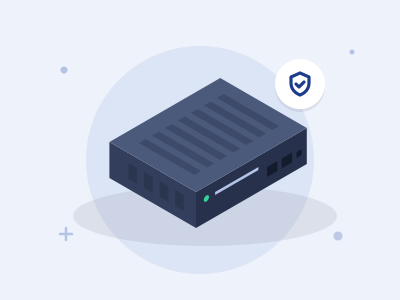
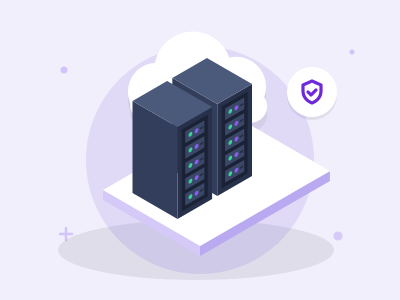
A server in your office

We build a small, quiet server with your company’s name on it, test it in our office, then ship it or install it ourselves in the Tri-State area. Your data lives in your building.

  • Mirrored, encrypted disks and a UPS
  • Your own address (app.yourco.com)
  • Nightly backups to your USB disk or NAS
Ask about this →

Hosted by D&S

Your own private MEPSub — a separate instance for your company, run and kept current by us. Nothing in your office to look after, nothing shared with other companies.

  • Every module included
  • Updated by us after every release
  • Sized for your team — we send you the options

Ask about this →

On your own hardware

Already have a server? Our USB installer checks the machine, sets up the mirror, the encryption and MEPSub, and claims it with a code. The rest is the same as our box.

  • Any x86 machine with two disks
  • Hardware check before anything installs
  • Same updates, support and backups
Ask about this →
Cloud or Enterprise

When Enterprise is the right fit

MEPSub cloudMEPSub Enterprise
UsersUp to 30 on a planSized for your team — no per-user fees
Where the data livesMEPSub cloudYour office, or a private instance hosted by D&S
ModulesThe packs you pickEvery MEPSub module
UpdatesContinuousSigned updates on your schedule (box) or after every release (hosted)
PricePer user, per month — publicQuoted for your company; monthly support plan, a box can be paid over time
StartSign up in two minutesA call, a quote you sign online, install day

Included in Enterprise

Every MEPSub module, for your whole team
  • Sales & estimating
  • Projects & construction
  • Service & field
  • Money & accounting
  • Your customers & portal
  • AI

Add-ons through D&S

Switched on in your license, on the same bill
  • MEPSub Phone
  • Video meetings
  • MEPSub Mail through D&S
  • Full Price Book
  • DOB Leads
  • AI credits — or your own AI key
  • Remote Console
  • Off-site backup at D&S
Why a server of your own

Cloud software, without the cloud

Your data stays home

Database, files, photos and call recordings on the box, on encrypted mirrored disks. We see health numbers — disks, backups, versions — only while you allow remote support, never your records.

Updates still come to you

Signed updates arrive in waves and install at night, or when you press “Update now”. A failed update rolls itself back.

Support only with your yes

A switch on the box decides whether D&S can reach it. A support session is time-limited, you approve it, a banner shows while it runs and every action is logged by name.

Backups you own

Every night a verified copy goes to your USB disk or NAS, and once a week the box checks that the copy really restores. Off-site at D&S is an add-on — encrypted on the box, unreadable to us.

Same apps, same features

The phone app, the Windows app, the customer portal and the integrations work against your own address.

Perpetual license

If you stop the support plan, the server keeps running on its last version with your data. Start the plan again and updates resume. Your database is a file on your disk.

Install & protection

A stick to install it, a chip to lock it, your yes to move it

Installed from a USB stick

The installer stick works offline, checks the machine first — disks, mirror, security chip, Secure Boot, memory, network — and asks before it erases a disk that holds data.

Claimed with a code, not a password

When the install finishes, the screen shows a claim code and a QR code. We enter it on our side; nobody types a password on site and the stick carries no license or customer data.

Encrypted, locked to the machine

The data disks unlock only inside that server, through its security chip (TPM). A disk pulled out and plugged in elsewhere shows nothing readable.

A recovery stick with your approval

Your company’s recovery stick does nothing on a replacement machine until your approver says yes by text or e-mail. Then the license moves and the old machine is cut off.

One license, one machine

A copied disk or a second machine on the same license is detected and refused our services; every server gets its own marked copy of each update.

Repairs without a site visit

With the Remote Console add-on, a small console next to the server lets us fix one that will not start — in sessions you approve, each one e-mailed or texted to you.

Before we hand it over

Every server passes an acceptance test

Before a box leaves our office — and before a hosted instance is yours — it runs the same test: health, backups actually restored, security, mail and texts, a load test at your number of users, and a reboot. Only then is the sample data wiped and your owner account made, and the report is kept with your install.

  • Backups are restored, not just written
  • Load test at your own number of users
  • Demo data wiped and checked clean before your account is made
Acceptance test · passed
HealthServices up, HTTPS, disk and memory, versions
BackupsSet up, run — and restored to a test copy
SecurityFirewall, open ports, SSL expiry, SSH locked down
Mail & SMSA real e-mail and text sent and received
LoadYour number of users clicking through MEPSub at once
RebootRestarted, and everything comes back by itself

What the test checks.

Connected, not dependent

Keeps working while it sits in your office

No port forwarding

The MEPSub relay gives the box its address without opening your firewall — a static IP is nice but not needed.

Calls keep ringing

MEPSub Phone runs through D&S. If the box is ever down, D&S answers its calls until it is back.

Phone app, live

The MEPSub phone app connects to your server by QR code; push notifications and app updates come through our relay.

AI your way

AI runs on prepaid credits through D&S — or on your own AI key with the add-on.

Meetings and mail

Video meetings and company e-mail sending through D&S, on the same monthly bill as the box.

Move either way

Same software, same database: a backup from the box restores into a hosted instance and back.

Updates

Signed, staged, reversible
  • Signed releases checked by the box before anything installs
  • Rolled out in waves; installed at night between 2 and 5 a.m., or with “Update now”
  • A snapshot before every update and an automatic roll-back if it fails

Support

Standard or Premium support plan
  • Help from people who know the box — by phone, e-mail and in the app
  • Remote support in time-limited sessions you approve, logged by name
  • Remote setup of your office PCs in a session you agree to
  • A printed runbook for your install: how to reach it, who to call, what to do if…
How buying works

From the first call to install day

1

Talk to us

Tell us who you are, how many people will use it and how you want to run it. We reply within one business day.

2

Your quote, online

A quote you open in the browser, with the options side by side — for example box or hosted, or a box on a payment plan. Choose one and sign online; the mutual NDA is signed the same way.

3

Built and tested

We prepare the server with your name on it and run the acceptance test before it leaves our office.

4

Install day

Network check, your domain, data migration from your spreadsheets or current software, and training for your team.

5

Running

Nightly backups, signed updates and your Standard or Premium support plan — month to month.

Coming soon

MEPSub OS for your office PCs and screens

Laptops, office PCs and kiosks from D&S that connect to your MEPSub server: encrypted disks, enrolled with a code like the box, and managed in your own MEPSub under Settings → Devices. Kiosks for the shop badge terminal, the time clock or a wall display.

Questions, answered

How many users can it have?

There are no per-user fees on MEPSub Enterprise. The server is sized for your team, and the acceptance test runs your number of users at once before handover. Cloud plans go up to 30 users; bigger teams run Enterprise.

Can we pay monthly or over time?

Hosted by D&S is billed monthly. A box is a one-time license and hardware, which can be paid on a payment plan, plus a monthly support plan — Standard or Premium.

What happens if the box dies?

Two mirrored disks survive one disk failure and the UPS rides out a power cut. If the whole machine goes, your recovery stick installs MEPSub on a replacement after your approver says yes, and it restores from your backup. With the off-site add-on we hold an encrypted copy too.

What if the server is stolen, or someone copies the disks?

The disks are encrypted and unlock only inside that machine. Tell us and we cut the stolen server off from updates and our services, revoke any lost recovery stick and move your license to the replacement once you approve it.

Can D&S see my data?

No. The box reports health only while remote support is on, and a technician gets into the application only after you approve a session. Off-site backups are encrypted with a key that never leaves your server.

What do I need on site?

Power, a wired network connection and a domain name (we can register one for you). No port forwarding is needed.

What if we stop the support plan?

The server keeps working on the version it has, with your data. Updates, remote support and features that go through D&S pause until you start the plan again.

How long does it take?

About a week from the signed quote: the box is built and tested in our office, then shipped or installed by us in the Tri-State area, with data migration and training on install day.

Talk to us about MEPSub Enterprise

Tell us who you are and what you need. We reply within one business day with a quote for your company — nothing is charged by this form. Prefer to talk? Call (862) 281-0334.

Thank you — we have your request

  1. Someone from our team reads it
  2. Someone from our team reads it and replies by e-mail within one business day.
  3. mdash; a person, not a bot.
  4. A short call about your shop, your network and what you use today.
  5. A written quote — hardware, install, data migration and the add-ons you picked.
1 How you want to run it
2 About you
Enter your company name.
Enter your name.
Enter an e-mail we can reply to.
3 Your shop
One per office or company is typical.
Please leave out links — we will ask for anything we need.
Please tick the box so we may reply to you.

No payment here. Protected against spam — no puzzles to solve.

MEPSub, on a server with your name on it

Same platform the cloud customers run — under your control, kept current by us.

MEPSub
Pricing → Book a demo →
Start free →Log in▶ Try the live demo